As an Amazon Associate, we earn from qualifying purchases. Some links on this site are affiliate links at no extra cost to you. Our recommendations are based on thorough research and editorial judgment.

10 Best Digital Art Books to Ignite Your Creativity and Skills

If you’re ready to boost your creativity, check out “Digital Painting Made Simple” from Outer Planets, focused on portrait techniques across Procreate, Photoshop, and Clip Studio Paint! For a fantastic start with Procreate, grab “The Beginner’s Guide to Procreate”; it’s got fun projects like a Smiley Flowerpot! And don’t miss “The Animator’s Survival Kit” for solid animation techniques! Each of these books brings you engaging visuals and practical tips to elevate your art journey, so let’s explore more!
Key Takeaways
- Explore “Digital Painting Made Simple” for beginner-friendly portrait techniques and ethereal effects, perfect for mastering digital portraiture.
- “Fundamentals of Character Design” provides essential principles and industry insights, ideal for beginners honing their character design skills.
- “The Beginner’s Guide to Procreate” covers basics like brushes and layers, encouraging creativity through engaging projects tailored for aspiring Procreate artists.
- Dive into “The Animator’s Survival Kit” for comprehensive animation techniques and principles, suitable for all skill levels aiming to enhance their animation skills.
- “Masters and Legends of Fantasy Art” offers genre-focused techniques with step-by-step tutorials, inspiring artists to explore and innovate within fantasy art realms.
Digital Painting Made Simple: Create Portraits in Clip Studio Paint, Procreate, Photoshop & More

You may be interested


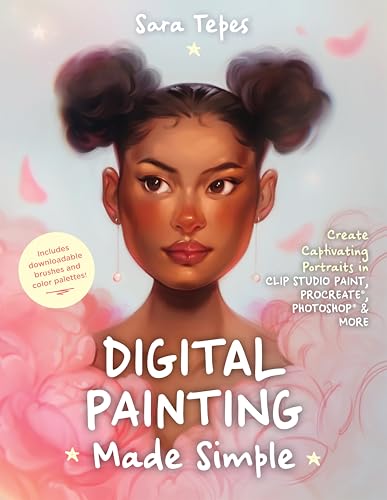
If you’re a budding artist enthusiastic to plunge into the world of digital portrait painting, “Digital Painting Made Simple” by Sara Tepes is the perfect companion for you! This accessible guide expertly navigates platforms like Procreate®, Photoshop®, and Clip Studio Paint, helping you grasp portrait techniques with ease. With a focus on semi-realistic styles, you’ll learn to create those enchanting, glowing effects (who doesn’t love a little ethereal magic, right?). The book includes engaging, hands-on tutorials, essential brush recommendations, and even downloadable resources to level up your art journey. At 150 pages, it’s packed with inspiration and practical advice you won’t want to miss!
Best For: Beginner digital artists looking to learn portrait painting techniques using popular software like Procreate, Photoshop, and Clip Studio Paint.
Pros:
- Comprehensive tutorials that break down complex techniques into manageable steps.
- Downloadable custom brushes and color palettes enhance the creative process.
- Instruction on achieving a glowing, ethereal style that adds a magical touch to portraits.
Cons:
- Focuses primarily on semi-realistic portraiture, which may not suit all artistic preferences.
- The content may be overwhelming for complete beginners who have no prior digital art experience.
- Limited exploration of advanced techniques for more experienced artists.
The Beginner’s Guide to Procreate: Master Digital Art

Are you enthusiastic to dive into the world of digital art? “The Beginner’s Guide to Procreate: Master Digital Art,” authored by the talented Roché Woodworth, is your ideal companion! With 160 pages packed with essential features like brushes, layers, color palettes, and masks, this guide makes mastering Procreate® a breeze. You’ll explore engaging projects, from creating a Smiley Flowerpot to the enchanting Pink Forest Cottage, all supported by helpful reference images. Plus, Roché’s encouraging style inspires you to release your creativity and develop your unique art style. Equip yourself with your iPad® and Apple Pencil®—it’s time to start your artistic adventure!
Best For: Beginners who are eager to learn and master digital art using Procreate®.
Pros:
- Comprehensive guide covering essential features like brushes, layers, and color theory.
- Step-by-step projects with reference images help facilitate the learning process.
- Encourages creativity and exploration, fostering the development of a personal art style.
Cons:
- Requires an iPad® and Apple Pencil®, which may be a financial barrier for some.
- Focus on basic techniques may not challenge more experienced artists.
- May not cover advanced Procreate features that seasoned users are interested in.
Fundamentals of Character Design Book

For aspiring character designers keen to master their craft, the “Fundamentals of Character Design” book is an absolute gem! Published by 3dtotal Publishing, this vibrant 256-page resource dives deep into essential principles like shape language, proportion, and exaggeration, helping you create characters that truly stand out. You’ll discover techniques to develop unique ideas while learning the importance of anatomy, gesture, and expression from industry professionals—it’s like having a mentor in a book! Plus, the hundreds of lively illustrations not only inspire, but give you plenty of visual references to study. With insights from celebrated artists, you won’t want to miss this!
Best For: Aspiring character designers looking to enhance their skills and creativity in creating memorable characters.
Pros:
- Comprehensive Coverage: Explores essential principles such as shape language, proportion, and exaggeration, providing a solid foundation for character design.
- Mentorship Experience: Offers insights from industry professionals, simulating a learning experience similar to having a mentor.
- Visual Inspiration: Packed with hundreds of lively illustrations, it serves as an excellent reference material for study and inspiration.
Cons:
- Limited Advanced Content: May not delve deeply enough into advanced concepts for experienced designers seeking more complex theories.
- Focus on Fundamentals: The emphasis on fundamental principles might not cater to those looking for innovative or experimental techniques.
- Publication Updates: As industry trends evolve, some information could become outdated if the book isn’t revised frequently.
The Art and Making of Arcane (Gaming)

Immerse yourself in “The Art and Making of Arcane,” and you’ll discover a treasure trove for fans of the Emmy Award-winning series, especially those who appreciate the intricate blend of animation and storytelling that Riot Games and Fortiche have mastered. This stunning book, published by Dark Horse and filled with 192 pages of enthralling visuals, showcases concept art, character designs, and breathtaking worldbuilding from Piltover to Zaun. Plus, it’s packed with exclusive goodies—like an acetate jacket and a fold-out map! Grab it for behind-the-scenes insights from over 20 creators, and you’ll feel inspired to release your own creativity!
Best For: Fans of the Emmy Award-winning animated series Arcane who are interested in animation, storytelling, and behind-the-scenes insights.
Pros:
- Gorgeous Artwork: Features stunning illustrations and concept art that highlight the unique visual style of the show.
- Exclusive Extras: Comes with a variety of bonus items like an acetate jacket, fold-out map, and posters that enhance the reading experience.
- Creator Insights: Includes interviews with over 20 key creators, providing a deep understanding of the creative process behind Arcane.
Cons:
- Price Point: May be considered expensive for casual fans or those not deeply invested in the series.
- Limited Availability: Exclusive editions might be hard to find and could sell out quickly.
- Niche Appeal: The focus on animation and production details may not attract readers who prefer traditional narratives or formats.
Masters and Legends of Fantasy Art, 2nd Expanded Edition

If you’re passionate about releasing your creativity in the domains of fantasy, sci-fi, or comic art, “Masters and Legends of Fantasy Art, 2nd Expanded Edition” from Fox Chapel Publishing is an absolute must-have! This 224-page treasure features interviews with legends like Frank Frazetta and H.R. Giger, along with workshops that guide you through different techniques across various mediums—yes, even digital! You’ll appreciate the step-by-step tutorials, essential core skills sections, and access to video workshops for deeper learning. Plus, those new artist interviews and workshops make this edition a game-changer, ensuring your artistic journey is both inspiring and enriching!
Best For: Artists and enthusiasts looking to enhance their skills in fantasy, sci-fi, and comic art through expert insights and practical workshops.
Pros:
- Comprehensive learning with workshops covering various mediums, including watercolor and digital painting.
- In-depth interviews with legendary artists providing unique insights into their creative processes.
- Access to additional resources such as video workshops and layered image files for deeper understanding.
Cons:
- Limited physical space for extensive exploration of all techniques due to the book’s page count.
- Varied skill levels may find some workshops challenging without prior knowledge.
- Focus on specific genres may not appeal to artists interested in other styles outside fantasy and sci-fi.
Beginner’s Guide to Digital Painting in Procreate

Digital painting enthusiasts, especially those just starting their creative journey, will find the “Beginner’s Guide to Digital Painting in Procreate” an invaluable resource! This book, packed with over 200 pages of engaging content, introduces you to Procreate, an industry-standard app that’s perfect for aspiring artists. With its accessibility and versatility, you can easily paint on your iPad® from anywhere. The guide includes step-by-step tutorials that break down essential techniques while offering quick tips to boost your efficiency. Plus, you’ll discover inspiring artwork that encourages you to experiment and develop your unique style—what’s not to get excited about?
Best For: Beginners and digital painting enthusiasts looking for a comprehensive guide to enhance their skills using Procreate on an iPad®.
Pros:
- Offers over 200 pages of engaging content, making it a thorough resource for beginners.
- Includes step-by-step tutorials that simplify learning essential digital painting techniques.
- Provides inspirational artwork that motivates users to experiment and develop their own styles.
Cons:
- May be overwhelming for complete beginners due to the extensive content.
- Requires an iPad® to utilize Procreate, which may not be accessible for everyone.
- Some users may find the focus on Procreate limiting if they prefer other digital painting software.
Drawing Digital: The Complete Guide for Learning to Draw & Paint on Your iPad

For anyone enthusiastic to access their creativity while drawing and painting on an iPad, “Drawing Digital: The Complete Guide for Learning to Draw & Paint on Your iPad” by Lisa Bardot is an absolute gem! This complete guide features step-by-step instructions across 12 engaging projects—from self-portraits to city scenes. You’ll find expert tips on mastering Procreate, layering, and even exporting your artwork (which is super handy!). Whether you’re a newbie or a seasoned artist, Bardot’s passion invites you to explore your creative side anytime, anywhere. Let’s just say, it might just become your go-to companion in the digital art world!
Best For: Individuals looking to develop their digital drawing skills on an iPad, from beginners to seasoned artists.
Pros:
- Step-by-step instructions make it easy for beginners to follow along and learn.
- Covers a wide range of projects and techniques, providing ample creative inspiration.
- Insights on using Procreate and other digital drawing tools enhance versatility across platforms.
Cons:
- Focus on iPad and Procreate may limit applicability for users of other devices or apps.
- Some users may find the step-by-step format too rigid for exploring their own styles.
- Limited advanced techniques which may not satisfy more experienced digital artists looking for complex guidance.
Digital Manga Composition & Perspective: A Guide for Comic Book Artists

Whether you’re an aspiring comic artist looking to elevate your skills or a seasoned illustrator wanting fresh insights, “Digital Manga Composition & Perspective: A Guide for Comic Book Artists” by Rui Tomono is the perfect resource for you! This insightful book dives into key principles like establishing the right point of view and applying techniques such as the rule of thirds to craft enthralling compositions. You’ll discover engaging ways to use perspective and color, turning black-and-white sketches into stunning artworks. With practical tips and case studies showcasing Tomono’s experience, you’ll confidently enhance your comic creations! Plus, it’s visually inspiring—what’s not to love?
Best For: Aspiring comic artists and seasoned illustrators seeking to improve their skills in composition and perspective.
Pros:
- Provides clear explanations of composition principles such as the rule of thirds and the golden ratio.
- Offers practical tips and case studies from Rui Tomono’s personal experience, enhancing learning.
- Explores techniques for adding color to black-and-white sketches, transforming them into impactful artworks.
Cons:
- May be too advanced for complete beginners with no prior knowledge of art principles.
- Focuses primarily on digital manga, potentially limiting its applicability for artists in other genres.
- Some readers may find the depth of content overwhelming if they prefer a more concise guide.
Anime & Manga Digital Coloring Guide

Are you an aspiring manga or anime artist looking to elevate your coloring skills? Check out the *Anime & Manga Digital Coloring Guide* by Japan’s leading colorist, Teruko Sakurai! This essential book dives into color theory fundamentals, teaching you how to pair palettes with your story’s themes. You’ll learn to select hair and eye colors to showcase character emotions effectively, making your art truly resonate! With hundreds of color combinations, practical shading techniques, and easy-to-follow lessons, this guide (with around 200 pages) is a treasure trove for any artist wanting to shine. Don’t miss the chance to boost your skills!
Best For: Aspiring manga and anime artists who want to enhance their digital coloring skills and elevate their artwork.
Pros:
- Comprehensive coverage of color theory fundamentals tailored for artists.
- Provides practical techniques and hundreds of color combinations for professional results.
- Easy-to-follow lessons and tips make it accessible for beginners.
Cons:
- The focus on digital coloring may not cater to traditional artists.
- Some readers may find the amount of information overwhelming at first.
- Limited to color-related topics, so it may not cover broader artistic skills.
The Animator’s Survival Kit: A Manual for Animators
Sale

The Animator's Survival Kit: A Manual of Methods, Principles and Formulas for Classical, Computer...
- Used Book in Good Condition
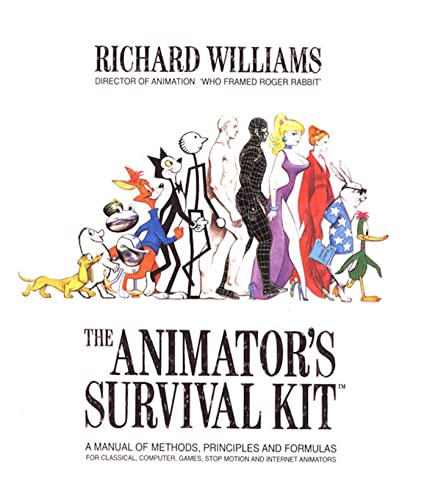
If you’re an aspiring animator enthusiastic to sharpen your skills, “The Animator’s Survival Kit: A Manual for Animators” by Richard Williams is a treasure trove you won’t want to miss! This definitive guide, packed with over 400 pages of insight, springs from Williams’ illustrious career and master classes across the globe. You’ll find hundreds of mesmerizing drawings illustrating the animation techniques that bridge traditional hand-drawn artistry and modern computer practices. Whether you’re a beginner or a seasoned pro, this book will help you grasp essential principles while fueling your creativity. It’s like having a legendary animator as your personal mentor—how cool is that?
Best For: Aspiring animators of all skill levels looking to enhance their animation skills and knowledge.
Pros:
- Comprehensive Coverage: Offers a thorough guide to animation principles, making it accessible for beginners while also serving as a valuable reference for professionals.
- Visual Learning: Hundreds of illustrative drawings help to clarify complex concepts, enhancing the understanding of animation techniques.
- Expert Guidance: Drawn from Richard Williams’ extensive experience and master classes, it feels like having a legendary animator mentoring you directly.
Cons:
- Dense Material: The extensive content may be overwhelming for complete beginners, requiring careful study to fully grasp the concepts.
- Limited Digital Focus: While it bridges traditional and modern techniques, some readers may find less emphasis on advanced computer animation methods.
- Cost: The price of the book might be a consideration for those on a tight budget, although its value is generally seen as worth the investment.
Factors to Consider When Choosing Digital Art Books

When you’re choosing a digital art book, think about your skill level first—do you need beginner tips or advanced techniques? Also, check if the book works with your favorite art software and offers a variety of content, because who wants to read the same thing over and over? Finally, look for hands-on projects and the author’s credentials, since learning from the best can make a real difference in your creative growth!
Skill Level Consideration
Choosing the right digital art book can feel a bit overwhelming, but don’t fret—I’ve got you covered! First, assess your skill level. If you’re just starting, books like “Digital Painting for Beginners” by 3DTotal Publishing (around 200 pages) offer step-by-step tutorials and fun projects that build confidence. For those with some experience, titles such as “Advanced Concepts in Digital Art” by Charles Hu explore specialized techniques and artistic analysis, providing detailed insights and advanced styles to expand your horizons. Remember, beginner books emphasize accessibility and essential tools, while intermediate ones refine your technique and challenge your creativity. Whichever you choose, finding the right fit boosts your journey to becoming a fantastic digital artist!
Art Software Compatibility
After laying the groundwork for your art journey, it’s time to contemplate the software you’ll be using, as the right digital art book needs to align perfectly with your chosen platform! Whether you’re diving into Procreate, Photoshop, or Clip Studio Paint, you want a book that speaks your software’s language. Always check for compatibility details, since some techniques may hinge on features found in specific versions. Look for hands-on projects and practical guidance, as these will truly elevate your learning experience. And hey, if the book includes downloadable resources like custom brushes or palettes (always a plus!), you’ll maximize your skills even more! Trust me, it’s way more fun when your resources fit your tools perfectly!
Content Depth and Variety
While exploring the world of digital art books, you’ll quickly discover that content depth and variety can make or break your learning experience! Some books, like *Digital Painting Techniques* by 3DTotal Publishing, provide foundational knowledge perfect for beginners, while others dive deep into advanced tips for seasoned pros. Look for diverse topics, from software tutorials on Procreate to character design and color theory. Hands-on projects reinforce what you learn—like in *The Complete Guide to Digital Painting in Photoshop*, where you’ll create stunning pieces step-by-step. Plus, books featuring visual illustrations or interviews with industry experts can give you fresh perspectives. Don’t forget to check for supplemental resources like downloadable brushes and video tutorials, which can really enhance your skills!
Author’s Expertise and Credentials
When it comes to picking a digital art book, the author’s expertise and credentials play an essential role in ensuring you get high-quality instruction! Look for creators with a solid background, particularly those who’ve earned awards or made significant contributions to the field; their industry knowledge truly enhances your learning experience. Authors from recognized digital art communities often share unique methodologies and firsthand experiences that you won’t find just anywhere. So, explore their professional journeys and previous works to gauge if their teaching style resonates with your learning preferences! For example, books like “Digital Painting Techniques” by 3DTotal Publishing are laden with insights from industry pros, ensuring you’re getting a wealth of knowledge, creativity, and inspiration!
Hands-On Projects Included
You’ll find that hands-on projects included in digital art books can make a world of difference in your learning journey! Books like “Digital Painting Techniques” by 3D Total Publishing and “The Complete Guide to Digital Art” by John Smith offer step-by-step instructions for creating stunning artworks tailored to varied skill levels. These projects not only reinforce techniques but also encourage creativity, allowing you to explore your unique style! Many books include helpful reference images and tools within the project instructions, making it easier to execute techniques accurately (thank goodness!). Plus, tackling different complexities means you can progressively challenge yourself, ensuring that you’re always growing. So grab a book and start experimenting—you never know where your creativity will lead!
Visual and Illustrative Quality
Selecting the right digital art book can feel a bit overwhelming, but paying attention to visual and illustrative quality makes all the difference! High-quality visuals immediately enhance your understanding of complex techniques, transforming learning into an engaging experience. Books like “Digital Painting Techniques” by 3DTotal Publishing, with its clear, vibrant illustrations, can help you grasp color theory and composition effortlessly. Well-crafted layouts, such as those in “The Art of Digital Photography,” guide your eye and guarantee you absorb key concepts effectively. Plus, a variety of artistic styles inspires you to experiment! Look for books that include step-by-step projects, sketches, and plenty of visual examples—these enrich your skills while making the journey into digital artistry more enjoyable!
Frequently Asked Questions
What Are the Benefits of Reading Digital Art Books?
Reading digital art books benefits you by expanding your creativity and enhancing your skills. Titles from publishers like HarperCollins and Penguin Random House often showcase stunning images (often in color!), and inclusive techniques. You’ll discover insightful tips on tools and techniques, plus enriched knowledge about styles and movements! With many books about 200 pages, you’ve got a wealth of information at your fingertips—perfect for igniting that inner artist you didn’t know you had!
How Can I Choose the Right Digital Art Book for My Skill Level?
To choose the right digital art book for your skill level, start by evaluating your foundation. Beginners might love “Digital Painting in Photoshop” by 3DTotal Publishing, filled with practical tutorials and 200 pages of vibrant examples. If you’re intermediate, try “Creative Photoshop” by Aidan Hughes; it’s a treasure with 240 pages of advanced techniques. Consider your goals, look for those features, and remember: a book’s like a trusty paintbrush—worth investing in!
Are There Any Digital Art Books Available for Free?
You can find tons of free digital art books online. Websites like Project Gutenberg and Open Library offer eBooks you can download without a cost. For instance, “The Elements of Graphic Design” is a great resource that’ll sharpen your skills. There’s also “Digital Art for Beginners,” which covers everything from tools to techniques. Keep an eye on publisher sites too; they often share free guides! Explore these gems and immerse yourself in your creativity!
Can I Find Digital Art Books in Ebook Format?
Absolutely, you can find a treasure trove of digital art books in ebook format! Websites like Amazon and Barnes & Noble have options from publishers like Penguin and Chronicle Books, each boasting about 200 pages packed with vibrant illustrations (drool-worthy, right?). Titles such as “Digital Painting Techniques” and “The Art of Digital Photography” are often available. So, immerse yourself in the virtual library and let those pixels inspire your creativity—it’s like having a studio in your pocket!
What Are Key Differences Between Traditional and Digital Art Techniques?
Traditional art relies on physical materials—like paints and canvases—while digital art uses software and devices. You’ll find that traditional techniques often emphasize texture and brushstrokes, which can create a tactile experience (good luck replicating that in pixels!). Conversely, digital art allows for endless edits and effects, meaning you can experiment without wasting materials. Each medium has its unique charm, so explore what fuels your creativity! Trust me, you won’t regret it!


