As an Amazon Associate, we earn from qualifying purchases. Some links on this site are affiliate links at no extra cost to you. Our recommendations are based on thorough research and editorial judgment.

10 Best Digital Painting Books Every Artist Should Own

If you’re looking to up your digital painting game, check out “Beginner’s Guide to Digital Painting in Photoshop: Characters” (200 pages) for character design, or “Digital Painting Techniques” for advanced methods from pros! There’s also the “Beginner’s Guide to Digital Painting in Clip Studio Paint,” featuring accessible tutorials. Don’t miss “Imaginative Realism” by James Gurney for some exciting world-building tips. Each book offers unique insights and practical techniques to fuel your creativity—stick around for more recommendations!
Key Takeaways
- Prioritize books that align with your skill level, such as beginner guides or advanced techniques, to maximize learning efficiency.
- Look for titles that include step-by-step tutorials and real-world projects to enhance practical understanding and application.
- Select books that focus on specific genres or aspects of digital painting to resonate with your artistic style and goals.
- Consider authors’ credibility and their professional experience, as industry insights can greatly enrich your learning process.
- Ensure a balance between cost and accessibility, choosing formats and pricing that align with your learning preferences.
Beginner’s Guide to Digital Painting in Photoshop: Characters


You may be interested


If you’re an aspiring artist enthusiastic to plunge into the vibrant world of digital character painting, the “Beginner’s Guide to Digital Painting in Photoshop: Characters” is an absolute must-have! This insightful guide, perfect for both newbies and seasoned artists, offers step-by-step instructions, making character creation fun and accessible. With contributions from industry pros like Charlie Bowater and Derek Stenning, you’ll gain valuable insights and techniques that cover posing, costume selection, and emotional expression. Clocking in at a handy 200 pages, it’s visually engaging and full of examples, ensuring you’ll find your groove while creating relatable characters (and maybe even impressing a few friends)!
Best For: This guide is best for both beginner artists seeking foundational skills in digital character painting and experienced artists looking to enhance their techniques.
Pros:
- Offers clear, step-by-step instructions that make learning accessible for all skill levels.
- Includes insights and tips from established professionals in the industry, enhancing credibility.
- Covers essential aspects of character design such as posing, costume selection, and emotion conveyance.
Cons:
- May be too basic for highly experienced artists seeking advanced techniques.
- Limited focus on other aspects of digital art like backgrounds or environments.
- The length of 200 pages might be overwhelming for some beginners who prefer concise guides.
Digital Painting Techniques: Practical Techniques of Digital Art Masters

For beginner and intermediate digital artists enthusiastic to elevate their skills, *Digital Painting Techniques: Practical Techniques of Digital Art Masters*, published by 3dtotal.com, stands out as an essential resource in the world of digital art! This book isn’t just a beautiful gallery; it breaks down advanced techniques like speed painting, custom brush creation, and matte painting with clarity and precision. You’ll learn from professional artists who share their insights, helping you refine your craft. Instead of maneuvering through endless online tutorials, this structured guide offers a focused approach, making it a must-have for anyone serious about mastering digital art!
Best For: Beginner and intermediate digital artists looking to enhance their skills with structured guidance from professional artists.
Pros:
- Offers clear breakdowns of advanced techniques like speed painting and custom brush creation.
- Provides insights and mentorship from professional digital artists, enriching the learning experience.
- Serves as a reliable alternative to casual online tutorials, offering a more structured approach to skill development.
Cons:
- May not cover beginner topics extensively, as it focuses on intermediate and advanced techniques.
- Some users might prefer the interactivity and immediacy of online tutorials over a printed guide.
- The depth of techniques may vary depending on the contributing artist’s expertise.
Beginner’s Guide to Digital Painting in Clip Studio Paint

Looking to plunge into the vibrant world of digital painting? The “Beginner’s Guide to Digital Painting in Clip Studio Paint” is the perfect companion for aspiring artists like you! With insights from renowned creators like Devin Elle Kurtz and Simz, this all-encompassing guide makes learning enjoyable and approachable. Offering visually rich tutorials, tips for different genres, and a solid “Getting Started” section, you’ll dive right into your creative journey. Plus, it’s affordable, accessible across devices, and encourages hands-on practice! At around 200 pages, this gem is your ticket to mastering Clip Studio Paint, revealing endless artistic possibilities!
Best For: Aspiring artists and beginners looking to explore and master digital painting using Clip Studio Paint.
Pros:
- Comprehensive tutorials across various genres, making it suitable for diverse artistic interests.
- Contributions from professional artists provide valuable insights and techniques.
- Accessible on multiple devices, allowing for flexible learning and practice.
Cons:
- May be overwhelming for complete beginners due to the extensive information and variety of techniques.
- Some users might prefer video tutorials over written guides and screengrabs.
- Limited focus on advanced techniques, which may not cater to intermediate or expert artists.
Imaginative Realism: How to Paint What Doesn’t Exist (Volume 1) by James Gurney
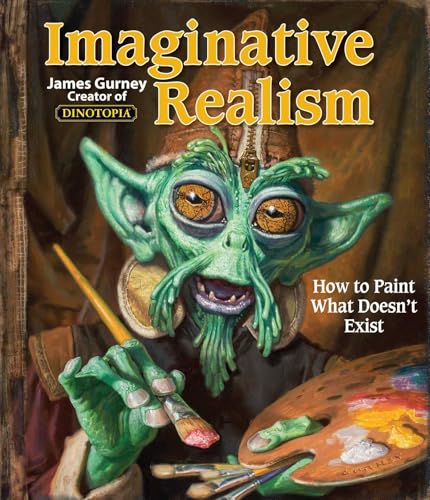
Imaginative Realism: How to Paint What Doesn’t Exist (Volume 1) by James Gurney is a treasure trove for aspiring artists excited to plunge into the domain of realistic fantasy illustration! This award-winning artist, known for Dinotopia, provides step-by-step instructions on sketching, composition, and world-building, essential for crafting believable creatures and settings. Not only does it include artistic techniques, but it also dives into vital disciplines like archaeology and anatomy, enriching your storytelling. With endorsements from industry professionals, it’s a must-read for anyone considering careers in video game design or concept art. Trust me; you’ll find inspiration on every page!
Best For: Aspiring artists and enthusiasts interested in creating realistic fantasy illustrations and pursuing careers in fields like video game design or concept art.
Pros:
- Provides comprehensive step-by-step instructions on sketching and composition, making it accessible for beginners.
- Covers essential disciplines such as archaeology and anatomy, enhancing the depth of storytelling in illustrations.
- Highly endorsed by industry professionals, affirming its value as a resource for artists.
Cons:
- May require a foundational knowledge of art techniques, which could be challenging for complete beginners.
- Focused primarily on fantasy illustration, limiting its applicability to other genres of art.
- Some may find the depth of historical context overwhelming if they are primarily interested in practical techniques.
Artists’ Master Series: Color and Light

Plunge into the vibrant world of color and light with the *Artists’ Master Series: Color and Light* from 3dtotal Publishing, where talented artists and designers find a goldmine of advanced techniques to elevate their craft! This resource focuses on critical elements that set world-class design apart, featuring invaluable insights from industry pros. You’ll appreciate in-depth illustrated advice, step-by-step tutorials, and inspiring case studies that really connect with your artistic journey. Aimed at artists looking to sharpen their skills, this book’s distinctive blend of techniques will help you make your work not just good, but truly recognizable and admired!
Best For: Artists and designers looking to enhance their mastery of color and light in their work.
Pros:
- In-depth illustrated advice from industry experts helps elevate artistic skills.
- Step-by-step tutorials provide clear guidance on advanced techniques.
- Inspiring case studies connect practical knowledge to real-world applications.
Cons:
- May be too advanced for beginners or those with limited experience in art theory.
- Focuses specifically on color and light, which may not cover all aspects of design.
- Potentially high price point compared to other introductory art resources.
Beginner’s Guide to Digital Painting in Photoshop 2nd Edition

If you’re just starting out on your digital art journey, the “Beginner’s Guide to Digital Painting in Photoshop 2nd Edition” is an exceptional choice that speaks directly to your needs! Published by 3DTotal Publishing, this 272-page gem provides step-by-step guidance, from the installation process to creating your first concepts. You’ll find in-depth tutorials and engaging exercises, all designed to build essential skills and boost your confidence. Enhanced from the original, this second edition guarantees clarity in Photoshop’s complexities, making it ideal for newcomers. Grab it, explore, and watch your imagination transform into stunning digital concepts! Trust me, you won’t regret it!
Best For: Beginners who are seeking a comprehensive resource to kickstart their digital painting journey in Photoshop.
Pros:
- In-depth tutorials and exercises designed specifically for novices.
- Clear guidance from installation to creating first concepts, ensuring a smooth learning curve.
- Enhanced content in the second edition for a better understanding of digital painting techniques.
Cons:
- May be overwhelming for those who prefer short, concise instructions rather than comprehensive guidance.
- Focus is primarily on beginners, which may not cater to more advanced users looking for sophisticated techniques.
- As a print publication, it may lack interactive elements found in online courses or video tutorials.
A Guide to Digital Painting in Procreate: Landscapes & Plein Air

For anyone looking to enhance their outdoor painting skills using Procreate, “A Guide to Digital Painting in Procreate: Landscapes & Plein Air” is a must-have resource! With clear instructions from BAFTA-award-winning art director Mike McCain, this book simplifies plein air techniques for both newbies and seasoned artists. You’ll plunge into essential Procreate tools like Brushes and Layers, learn how to accurately depict light and color, and access seven detailed projects that help you transform your ideas into stunning artworks. Plus, the Quick Tips section makes mastering techniques a breeze—perfect for artists enthusiastic to get started on their outdoor masterpieces!
Best For: Artists of all skill levels who want to improve their outdoor painting techniques using digital tools on the iPad.
Pros:
- Comprehensive Guidance: Offers clear, step-by-step instructions suitable for beginners and experienced users.
- Engaging Projects: Includes seven detailed projects that promote hands-on learning and real-world application of techniques.
- Quick Tips Resource: Provides easy access to tips and tricks that enhance and speed up the learning process.
Cons:
- Digital Focused: May not be ideal for traditional artists looking for purely traditional techniques.
- Software Dependency: Requires Procreate software, which is an additional cost for users.
- Limited Scope: Primarily focuses on landscapes and plein air, which may not cater to artists interested in other subjects or styles.
Mastering Clip Studio Paint: Advanced Techniques for Breathtaking Illustrations
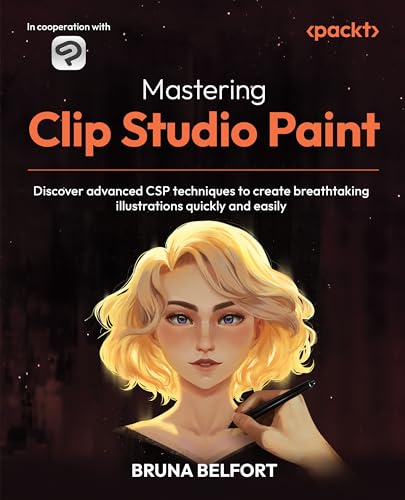
Mastering Clip Studio Paint: Advanced Techniques for Breathtaking Illustrations is an incredible resource for intermediate and advanced artists enthusiastic to elevate their digital creations! Authored by seasoned digital artist Bruna Belfort, with over 15 years of experience, this book dives deep into sophisticated CSP techniques. You’ll learn to design enthralling characters, organize effective workflows, and utilize advanced brush settings, all while creating mesmerizing environments and comics. With practical guidance on maximizing 3D capabilities and mastering layer modes, Belfort guarantees your illustrations shine. Embrace your creativity—this book, published by (insert publisher here), with its concise 280 pages, is a must-have!
Best For: Intermediate to advanced digital artists looking to enhance their skills in character design, environments, and comic creation.
Pros:
- Provides in-depth guidance on advanced illustration tools and techniques tailored for experienced artists.
- Offers valuable tips on workflow optimization and organization to boost productivity.
- Includes practical applications of 3D capabilities, enhancing depth and creativity in illustrations.
Cons:
- May be overwhelming for beginners due to its advanced focus.
- Assumes familiarity with basic CSP features, which could leave novice users struggling.
- Some readers may find the book’s length of 280 pages to be daunting for a single topic.
Digital Painting Made Simple: Create Portraits in Clip Studio Paint, Procreate, Photoshop & More
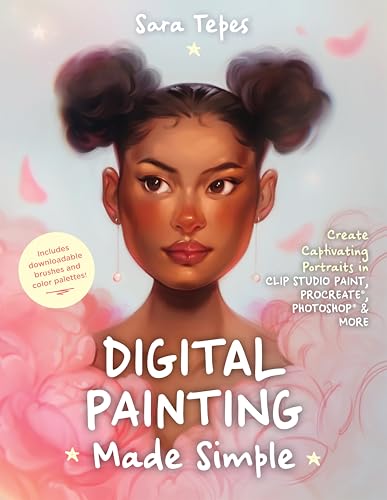
Ready to plunge into the world of digital painting? “Digital Painting Made Simple: Create Portraits in Clip Studio Paint, Procreate, Photoshop & More” by Sara Tepes is the perfect resource for aspiring artists enthusiastic to create stunning portraits with accessible techniques. This beginner-friendly guide, featuring a delightful mix of practical tips and engaging tutorials, walks you through semi-realistic portraiture effortlessly. With its practical advice on essential digital brushes and hands-on exercises for mastering facial features, you’re bound to create mesmerizing art. Plus, don’t miss out on the downloadable custom brushes and color palettes to elevate your creative journey!
Best For: Aspiring digital artists seeking an accessible guide to create semi-realistic portraits using popular software like Procreate, Photoshop, and Clip Studio Paint.
Pros:
- Provides beginner-friendly tutorials and practical tips to boost artistic skills.
- Includes downloadable custom brushes and color palettes for enhanced creativity.
- Focuses on essential techniques for achieving glowing, ethereal portrait styles.
Cons:
- May lack advanced techniques for experienced artists looking for more complex guidance.
- Focused primarily on portraiture, which might not meet the needs of artists interested in other digital painting subjects.
- The effectiveness of the techniques may vary based on individual software proficiency and experience.
Digital Painting for the Complete Beginner
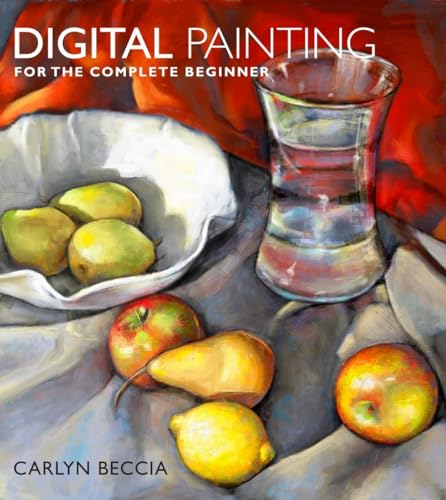
If you’ve ever felt overwhelmed by the digital canvas but still want to release your inner artist, *Digital Painting for the Complete Beginner* by Carlyn Beccia is just the ticket! This beautifully illustrated guide, with easy-to-follow tutorials, demystifies essential digital painting tools and techniques for absolute novices. You’ll explore brush types, media options, and effective techniques that mimic traditional styles, from pastels to oil paints. Beccia’s expertise shines through her engaging writing, ensuring you feel supported as you experiment. Immerse yourself in various art forms, actively discovering what resonates with you—it’s like starting an artistic adventure! Don’t miss it!
Best For: Absolute beginners who want to explore digital painting and discover their artistic potential.
Pros:
- Easy-to-follow illustrated tutorials that simplify complex techniques for novices.
- Covers a wide variety of art styles, encouraging creativity and exploration.
- Authoritative guidance from an experienced illustrator and author, ensuring valuable insights.
Cons:
- May lack in-depth techniques for advanced users or those looking for more complex methods.
- Some readers might find the content too basic if they have previous experience with digital art.
- Limited availability of physical copies might restrict accessibility for some individuals.
Factors to Consider When Choosing Digital Painting Books

When you’re picking out digital painting books, there are a few key factors to keep in mind! Consider your skill level, the software you’re using (like Photoshop or Procreate), and whether the artist’s style resonates with you. Plus, you’ll want to look for practical techniques and visual aids that make learning fun and easy—after all, who wouldn’t want a colorful tutorial that brings concepts to life?
Skill Level Consideration
Choosing the right digital painting book can feel like a treasure hunt, especially with so many options out there! First, consider your skill level. If you’re a beginner, look for books that offer step-by-step instructions and clear visuals—these help you grasp essential techniques without drowning in jargon. Intermediate and advanced artists might enjoy titles that focus on complex tools and specialized methods. Check if the book hones in on areas like characters, landscapes, or portraits, aligning with your artistic goals. Hands-on tutorials can vastly enrich your learning experience, so keep an eye out for those! Finally, consider the authors’ backgrounds—industry pros often share invaluable insights that can accelerate your growth. Happy reading!
Software Compatibility
Selecting a digital painting book that meshes well with your software isn’t just about picking the latest glossy cover; it’s essential for accessing the full potential of your creative toolkit! When you choose a book that targets your specific software, like Photoshop, Clip Studio Paint, or Procreate, you gain access to a treasure trove of tailored techniques and step-by-step instructions that elevate your skills. For instance, books from publishers like ImagineFX provide practical tips that optimize your workflow and enhance your learning experience! Some guides even cover lessons applicable across multiple platforms, broadening your creative horizons. Remember, aligning your skill level with a book’s content—whether you’re a beginner or advanced user—could make all the difference in your artistic journey!
Artist Style Alignment
Finding the right digital painting book that resonates with your artistic style can transform your creative journey, especially if you’re diving into genres like character design or landscapes! When you select a book, consider if its techniques align with your preferences—like realism vs. semi-realism—and what specific aspects, such as color theory or brush settings, are most relevant to your goals. Look for books showcasing artwork similar to what you aspire to create, providing both inspiration and practical insights (I’ve found those especially motivating!). Pay attention to the instructional format; step-by-step guides are fantastic for beginners, while detailed projects challenge more advanced artists. Hands-on exercises keep your skills sharp and guarantee you’re advancing in your artistic development!
Practical Techniques Offered
When diving into digital painting, three main factors stand out in practical techniques that a good book should offer! First, look for books that cover both foundational and advanced techniques, catering to your unique skill level—books like “Digital Painting in Photoshop” by 3DTotal Publishing are great choices! Next, prioritize those with step-by-step tutorials and real-world projects, reinforcing what you’ve learned in a hands-on way. Also, consider specialized techniques linked to different artistic styles; they’ll expand your creative toolkit! Finally, seek authors who share personal insights on workflows and efficiency tools, enhancing your workflow! Bonus points if the book provides supplementary resources like downloadable brushes—how exciting is that? Happy painting!
Visual Learning Aids
Exploring visual learning aids in digital painting books can greatly boost your artistic journey! When you choose a book, look for detailed illustrations, step-by-step breakdowns, and screengrabs that clarify techniques (those progress shots are golden!). Books like “Digital Painting Techniques” by 3DTotal Publishing, with over 240 pages, showcase how artwork evolves from concept to completion, which keeps you engaged. Infographics simplify complex concepts like color theory and lighting, while clear examples illustrate various brush techniques! Plus, check for hands-on projects—these encourage immediate practice, reinforcing what you’ve learned. Ultimately, the right visual learning aids transform dry theory into vibrant practice, making digital painting an incredibly rewarding endeavor (seriously, you won’t want to put it down!).
Genre Focus
Choosing the right digital painting book can feel overwhelming, especially with so many genres to explore that cater to your unique artistic vision! You’ll want to reflect on if you’re drawn to character creation, landscapes, or imaginative realism. Some titles, like “Digital Painting Techniques” from 3DTotal Publishing, focus on specific software, guiding you through essential tools and settings, perfect if you’re using Photoshop or Procreate. Also, look for guides that delve into styles like semi-realistic or ethereal portrait painting, aimed at sharpening your skills! If you’re a newbie, opt for step-by-step instructional formats, while experienced artists might prefer books on advanced techniques. A diverse subject range—including fantasy, comics, and speed painting—will keep your inspiration flowing!
Artist Contributor Credibility
Though it might seem tedious at first, paying attention to the credibility of artist contributors can greatly enhance your experience when diving into digital painting books! Look for titles showcasing established artists, as their professional backgrounds offer invaluable insights. Books like “Digital Painting Techniques” (published by 3DTotal Publishing and packed with 264 pages of expert advice) can elevate your skills with curated contributions from diverse portfolios. These artists provide a well-rounded perspective, ensuring you’ll learn various techniques and styles! Also, consider books from professional organizations, often attracting endorsements from industry pros, which serve as a stamp of quality. In the end, well-respected contributors not only add credibility but also make learning relatable and applicable for everyone—seriously, who wouldn’t want that?
Cost and Accessibility
When you immerse yourself in the world of digital painting books, consider the cost and accessibility upfront, as they can make all the difference in your learning journey! With prices ranging from budget-friendly guides to more expensive in-depth manuals, you’ve got options that fit your wallet. Make certain to grab books in your preferred format—whether that’s a physical copy to highlight or an e-book for on-the-go convenience. I love books that offer free downloadable resources like brushes or palettes, saving money while enhancing your art! Also, check compatibility with popular software like Photoshop or Procreate—this guarantees you get the most out of your purchase. Finally, the credibility of authors matters; established artists often share the best techniques and insights!
Frequently Asked Questions
What Are the Best Tools for Digital Painting Beginners?
To kickstart your digital painting journey, you’ll love tools like Procreate (for iPad), which offers intuitive features with fantastic customization! Clip Studio Paint is also a fave for its versatility, great for illustrations and comics alike. If you’re on a budget, Krita’s free, open-source software packs a punch with pro-level tools! And don’t forget a reliable drawing tablet—look into Wacom or Huion. They’ll elevate your creativity immensely! Start creating!
How Can I Choose the Right Software for Digital Painting?
When choosing the right software for digital painting, consider that over 60% of professional artists use Adobe Photoshop, it’s a powerhouse! You’ll want to explore user-friendly options like Corel Painter or Procreate, which boast intuitive interfaces. Check for compatibility with your device, explore features like brushes and textures, and take advantage of free trials. It’s all about finding what fuels your creativity—and remember, the best software is the one that feels right for you!
Are There Any Online Resources That Complement These Books?
Absolutely, you’ll find a treasure trove of online resources to complement those books! Websites like Ctrl+Paint and Schoolism offer fantastic video tutorials, while forums such as ConceptArt.org provide valuable peer feedback. YouTube’s packed with insightful channels like Proko and Sinix Design, which explore techniques and tips! Plus, digital platforms like ArtStation feature community challenges that can spark your creativity (and maybe even some friendly competition)! Don’t miss out!
How Often Should I Practice Digital Painting Techniques?
You should practice digital painting techniques daily if possible, even if it’s just for 30 minutes! Consistency can lead to rapid improvement—studies show that deliberate practice boosts skill greatly. Immerse yourself in projects that excite you, explore different styles, or even recreate your favorite artworks. Embrace tools like Procreate or Clip Studio Paint, and don’t hesitate to experiment; your creativity will flourish! Keep challenging yourself, and you’ll see fantastic growth in no time!
What Are Some Common Mistakes to Avoid in Digital Painting?
You should definitely avoid overworking your pieces! It’s tempting to keep tweaking, but stepping back can lead to fresh perspectives. Also, keep an eye on your layers; using too many can make your file unwieldy (trust me, you don’t want that). Remember, blending colors poorly can muddy your artwork, so practice smooth changes instead. Finally, don’t forget about composition—it’s essential! Balance your elements for an enchanting piece! Happy painting!


